thankQ Help
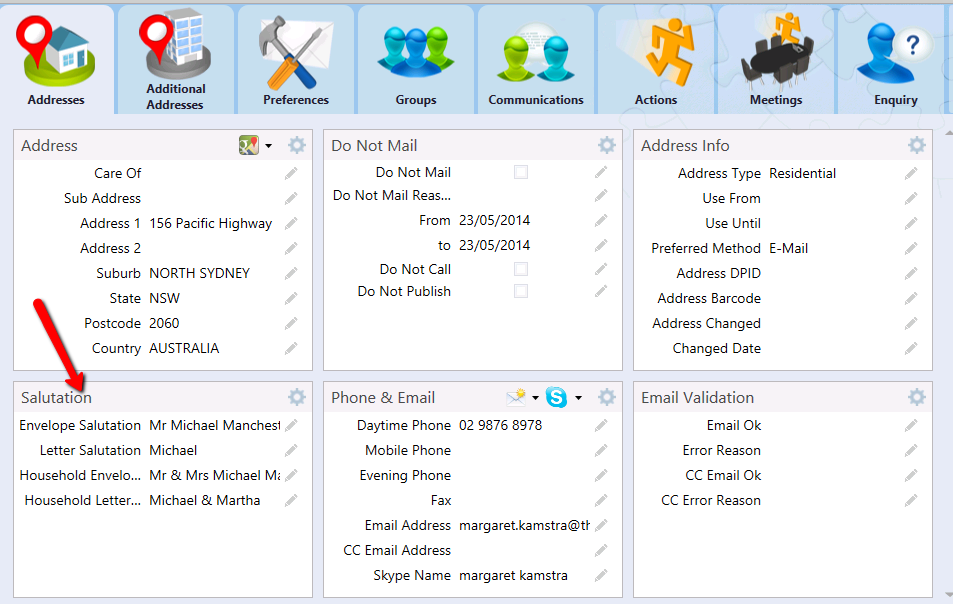
ThankQ will automatically create an Envelope and Letter Salutation based on a combination of Title, First Name, First Initial, Surname and Post Nominals.
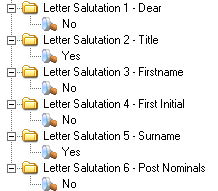
The default setting for the Envelope Salutation is Title, First Name, Surname, and Post Nominals. Most supporters will not have Post Nominals, so a typical Envelope Salutation will read as Title, First Name and Surname (e.g. Mr John Smith). The default for Letter Salutation is First Name:
1.Expand the Contact Salutations folder and the Envelope Salutation folders:
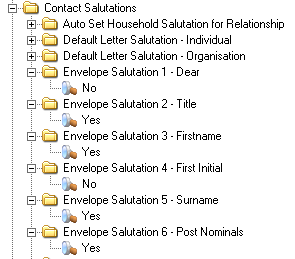
2.A value of Yes means that the field will be included in the Envelope Salutation. A value of No means that the field will not be included in the Envelope Salutation. To construct a different Envelope Salutation, change the Yes/No options accordingly.
3.To construct a different Letter Salutation, expand the Letter Salutation fields and change the Yes/No options accordingly: